
LED lamp flickering is caused by incompatible dimmer switches, loose bulbs or connections, voltage fluctuations from high-draw appliances on the same circuit, or failing LED drivers. Unlike incandescent bulbs — which have thermal inertia that smooths over brief power dips — LEDs respond almost instantly to voltage changes, exposing electrical problems that older light sources would mask.

Most flickering LED lights trace back to a short list of causes, and the majority of fixes are straightforward once you know where to look. Whether you manage a commercial facility, a warehouse, or a single-family home, this guide walks through every common reason LEDs flicker — and exactly what to do about it. All electrical work involving panels, switches, or wiring behind walls should be performed by a licensed electrician.
Key Takeaways
- LEDs expose electrical problems that incandescent bulbs mask. LED lamps respond almost instantly to voltage changes. Voltage dips that an incandescent bulb would absorb through thermal inertia cause an LED to flicker visibly. If your LEDs started flickering after a retrofit, the problem existed before — the LEDs are just revealing it.
- Most fixes are simple: tighten, replace, or separate. Reseat loose bulbs. Replace incompatible dimmer switches with LED-compatible trailing edge or 0-10V dimmers. Move high-draw appliances to separate circuits. These three actions resolve the majority of residential and light commercial flickering complaints.
- High-quality fixtures with robust drivers eliminate the problem at the source. Access Fixtures luminaires use constant-current LED drivers with high L70 ratings — rated by LM-80 testing and TM-21 extrapolation — delivering stable output across the full operating range and service life.
Common Causes of LED Lamp Flickering
Before assuming the worst, work through this list. The cause is almost always one of these six.
Incompatible Dimmer Switch
Older phase-cut dimmers designed for incandescent or halogen loads chop the AC waveform in ways that LED drivers cannot handle cleanly. The most common single cause of LED flicker.
Loose Bulb or Connection
A partially seated lamp, worn socket contact, or loose push-fit connector introduces intermittent resistance. On LED strips, poor solder joints at connectors are especially common.
Voltage Fluctuation — Appliance Startup
HVAC compressors, refrigerators, and well pumps draw heavy inrush current when they cycle on, creating brief voltage dips that make nearby LEDs flicker. If flickering coincides with an appliance starting, this is the cause.
Overloaded Circuit
Too many high-draw devices on one branch circuit reduce available voltage for the lighting outlet. Separate lighting from large motor loads when possible.
Failing or Low-Quality Driver
Aging or cheap drivers deliver inconsistent current. Electrolytic capacitors inside drivers degrade with thermal cycling — especially in enclosed or poorly ventilated installations.
Overloaded LED Strip / Voltage Drop
Long LED strip runs lose voltage over distance. The far end dims or flickers when the driver is undersized. Follow the 80% loading rule — never run a driver at 100% of rated output.
Loose Bulbs, Sockets, and Connections
Loose connections are the quickest fix and should be checked before spending money on new products. A partially screwed-in bulb, a worn socket contact, or a loose push-fit connector in a recessed downlight can all cause intermittent flickering. LED strip lights are especially vulnerable at their connectors, where poor soldering or push-fit joints introduce resistance fluctuations.
- Turn off the breaker and let fixtures cool before handling.
- Firmly reseat screw-base lamps — turn until snug, not overtorqued.
- Inspect connectors on downlights and LED strip runs for gaps, corrosion, or poor contact.
- On fixtures from the 1990s or earlier, worn lampholders may no longer maintain reliable spring tension — consider replacement.
If gently wiggling the fixture causes the circuit to cut in and out, the problem is loose wiring behind the junction box. Stop troubleshooting and contact a licensed electrician. This is also worth reviewing alongside the vibration guidelines for pole-mounted fixtures — vibration-induced loose connections follow the same diagnostic pattern.
Voltage Fluctuations and Circuit Load
LEDs require a stable power supply. Even modest voltage dips expose weaknesses that incandescent bulbs would absorb. The most common triggers are appliance startup surges — HVAC compressors, refrigerators, and well pumps draw heavy inrush current when they cycle on. If flickering correlates with an appliance starting, the circuit is the problem, not the fixture.
For low-voltage LED systems running at 12V or 24V — landscape lights, LED strip runs, under-cabinet lighting — the power supply must be sized correctly. An undersized supply flickers whenever the total load changes. Follow the 80% loading rule: a 60W strip load requires a 75W minimum driver. Understanding how wattage and circuit load interact is the foundation of correct driver sizing.
Dimmer Switches — The Most Common Cause


Left: 0-10V LED-compatible dimmer — the correct replacement for phase-cut incandescent dimmers. Right: 208V and 277V lighting wiring diagram — correct circuit wiring eliminates voltage fluctuations that cause LED lamp flickering.
Older phase-cut dimmer switches were built for incandescent loads and remain the leading cause of LED flickering when dimmed. They chop the AC waveform in ways that leave the LED driver without enough stable input — causing shimmering at low levels, sudden brightness jumps, or fixtures that never fully turn off.
- Confirm the LED bulb or fixture is labeled dimmable — non-dimmable LEDs on any dimmer will flicker.
- Replace older dimmer switches with LED-compatible trailing edge or 0-10V dimmers.
- Verify the dimmer meets the minimum wattage requirement for your LED load — many LED dimmers require a minimum of 25W to function correctly.
- In commercial spaces, 0-10V dimming, smart switches, or DMX systems must match the driver specifications of the specific luminaire.
LED Drivers, Power Supplies, and Strip Lights
Every LED lamp or fixture uses a driver or power supply to convert incoming power into stable DC output. Driver quality is the primary determinant of long-term flicker performance. Low-quality drivers deliver inconsistent current — flickering that appears intermittent at first and worsens over time as internal components degrade.
A concrete example: a kitchen driver installed above cabinets in a closed cavity runs hot every summer. After 12 to 18 months of thermal cycling, electrolytic capacitors inside the driver degrade. The strip below starts flickering intermittently, then more frequently, until the driver fails. The cause is a combination of poor ventilation, undersized driver (loaded at 100% rather than 80%), and low-quality capacitor components.
Access Fixtures uses high-quality constant-current LED drivers specifically designed for long service life with robust thermal management. L70 ratings are established through LM-80 testing and TM-21 extrapolation — providing a standardized, verifiable basis for comparing driver and LED longevity claims across manufacturers.
Six-Step Troubleshooting Checklist
Work through these steps in order. Most flickering issues are resolved by step three.
-
1
Identify scope
Is the flicker limited to one lamp, one fixture, one circuit, or multiple circuits across the building? One flickering lamp points to the lamp or its dimmer. Widespread flickering across multiple circuits points to utility-level voltage issues or panel problems — call an electrician.
-
2
Reseat bulbs and inspect connections
Turn off the breaker. Firmly reseat screw-base lamps. Inspect connectors on downlights and LED strip runs for gaps, corrosion, or poor contact. Restore power and test. If flickering stops, a loose connection was the cause.
-
3
Bypass the dimmer
Temporarily wire the fixture to a standard switch, bypassing the dimmer entirely. If flickering stops, the dimmer is incompatible with the LED load. Replace with an LED-compatible trailing edge or 0-10V dimmer.
-
4
Swap to a known-good bulb
Replace the flickering lamp with a new, confirmed-good bulb. If the new bulb works fine, the original has a failing driver or has reached end of useful life. If it also flickers, the problem is the circuit, not the lamp.
-
5
Test on a different circuit
Move the flickering lamp to a different circuit. If flickering stops, the original circuit has a voltage, load, or wiring issue. If it still flickers on every circuit, the lamp itself is the problem.
-
6
Isolate appliance interference
Turn off other high-draw appliances on the same circuit — HVAC compressor, refrigerator, well pump. If flickering stops when appliances are off, they are creating voltage dips that affect the LED. Separate lighting from large motor loads on dedicated circuits.
If your troubleshooting points to fixture quality or driver failure rather than an installation issue, an Access Fixtures lighting specialist can recommend the right flicker-free replacement for your application — high bay, linear, wall pack, or area light. Call 800-468-9925.
Call 800-468-9925 Request a QuoteProduct Quality, L70 Ratings, and Long-Term Flicker Prevention
Not all LED lamps are engineered equally. L70 ratings express the number of operating hours at which LED output has depreciated to 70% of initial lumens — established through LM-80 testing and TM-21 extrapolation. As LEDs approach or exceed their L70 life, they may exhibit flickering, color shift, or uneven brightness. Research on lamps aged under voltage-stress profiles shows increased flicker sensitivity well before catastrophic failure.
Choosing luminaires from manufacturers who publish L70 ratings, driver specifications, and LM-80 test data — rather than relying on marketing claims alone — is the most reliable prevention strategy for commercial and industrial applications where downtime, maintenance cost, and safety matter.
Flicker-Free LED Fixture Upgrades from Access Fixtures
When repeated driver failures plague bargain fixtures, or when legacy systems with HPS or metal halide retrofits never quite operate correctly, a full fixture upgrade is the right answer. Access Fixtures luminaires are engineered with high L70 ratings, constant-current drivers, and robust surge protection to deliver reliable long-term performance.
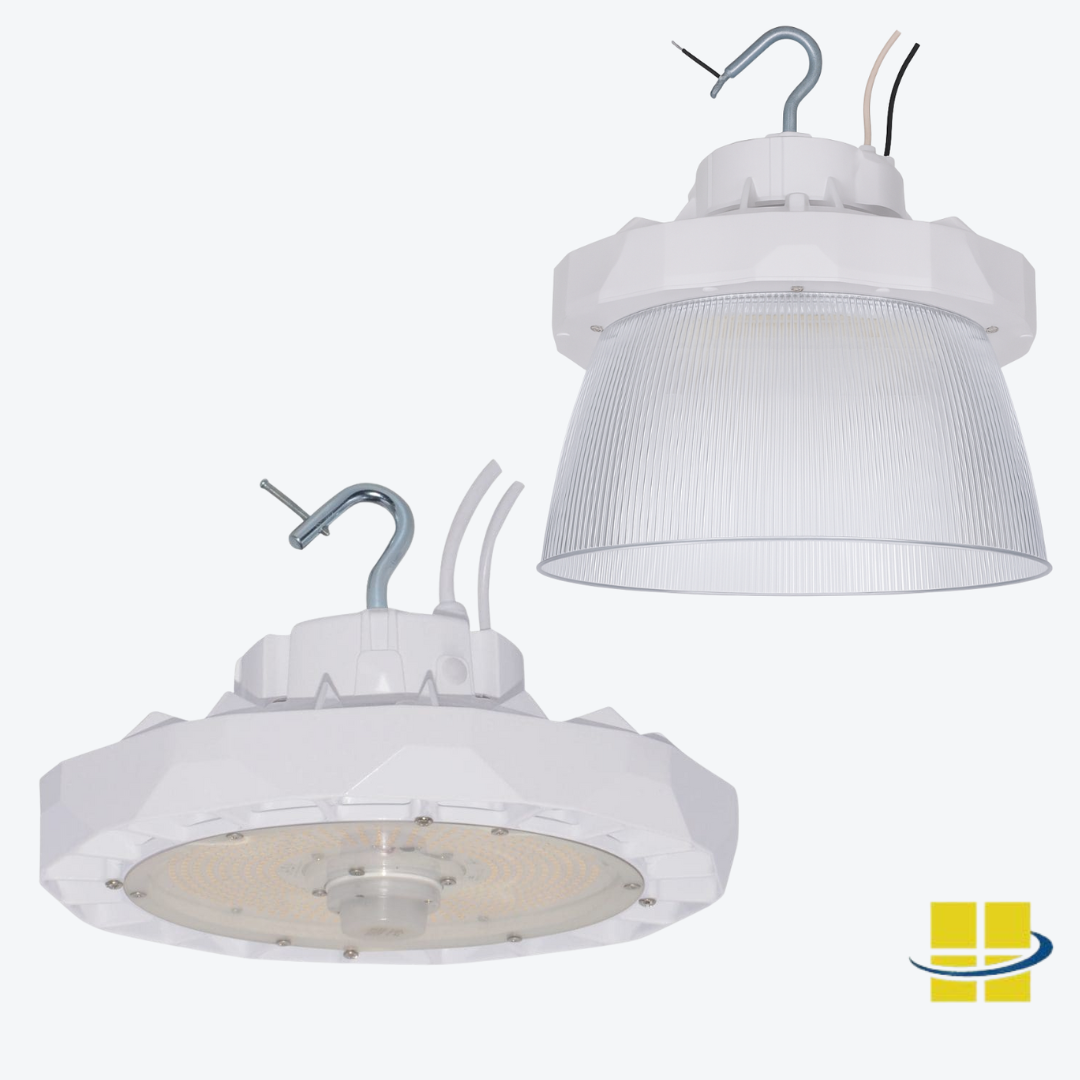
HIIO — Flicker-Free LED High Bay
Field-selectable wattage and Kelvin. 0-10V dimmable with constant-current driver. IP65. 125 lm/W. Polycarbonate lens for glare reduction. For warehouses, sanctuaries, arenas, and any high-ceiling application where flicker-free output is required for safety or video production.
Shop HIIO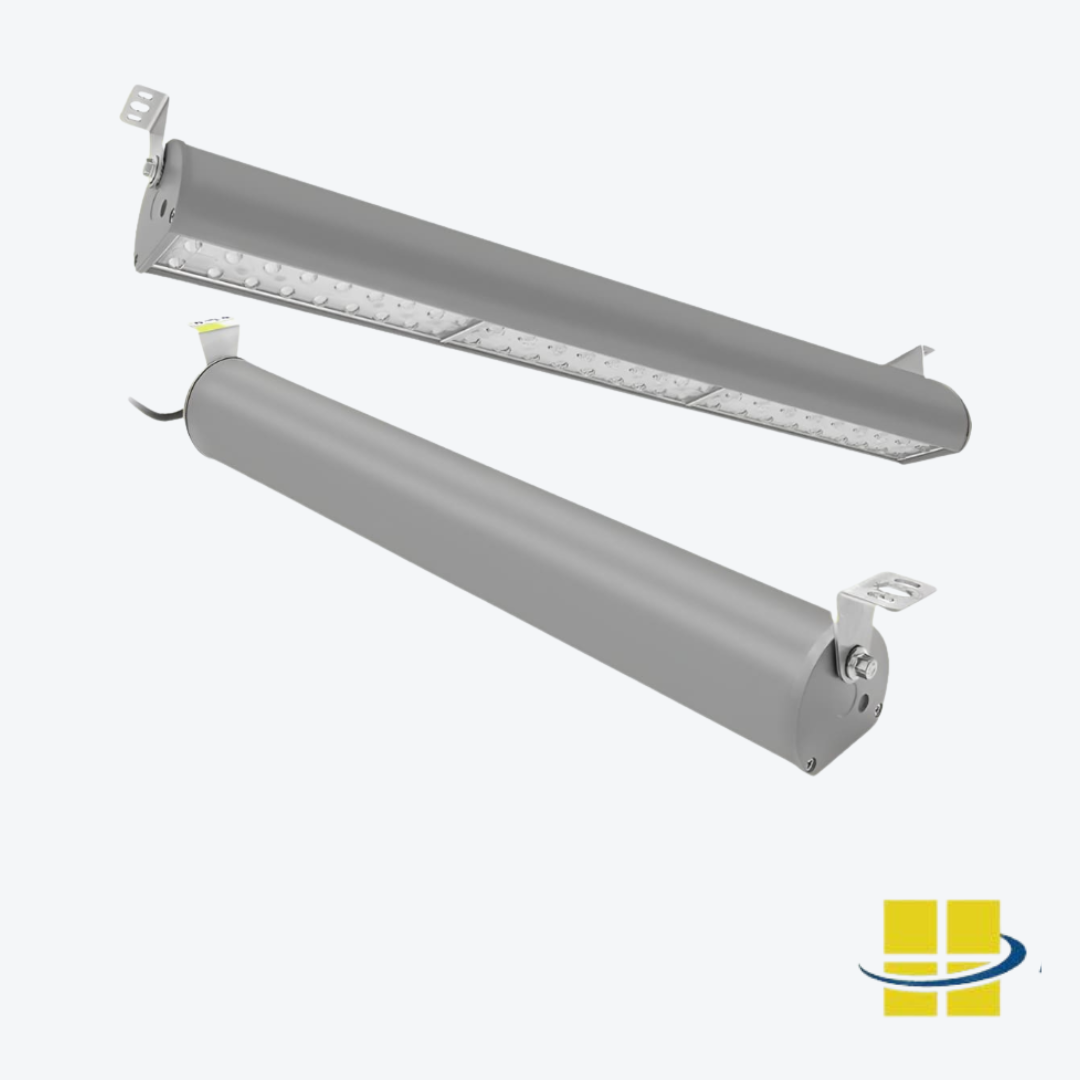
EPTA — Flicker-Free LED Linear (T8 Replacement)
L70 rated at over 200,000 hours. Ideal for replacing T8 or T5 fluorescent lamps in existing fixtures. Constant-current driver eliminates the flickering common in ballast-driven retrofits. Suitable for mechanic shops, retail, paint booths, and any detail-oriented work environment.
Shop EPTA
VAEL — Flicker-Free Vapor Tight Linear
Selectable wattage and Kelvin. IP65 wet location listed. Prismatic diffuser lens for even distribution. For parking garages, food processing, car washes, and any damp or wet location where sealed construction and flicker-free output are both required.
Shop VAEL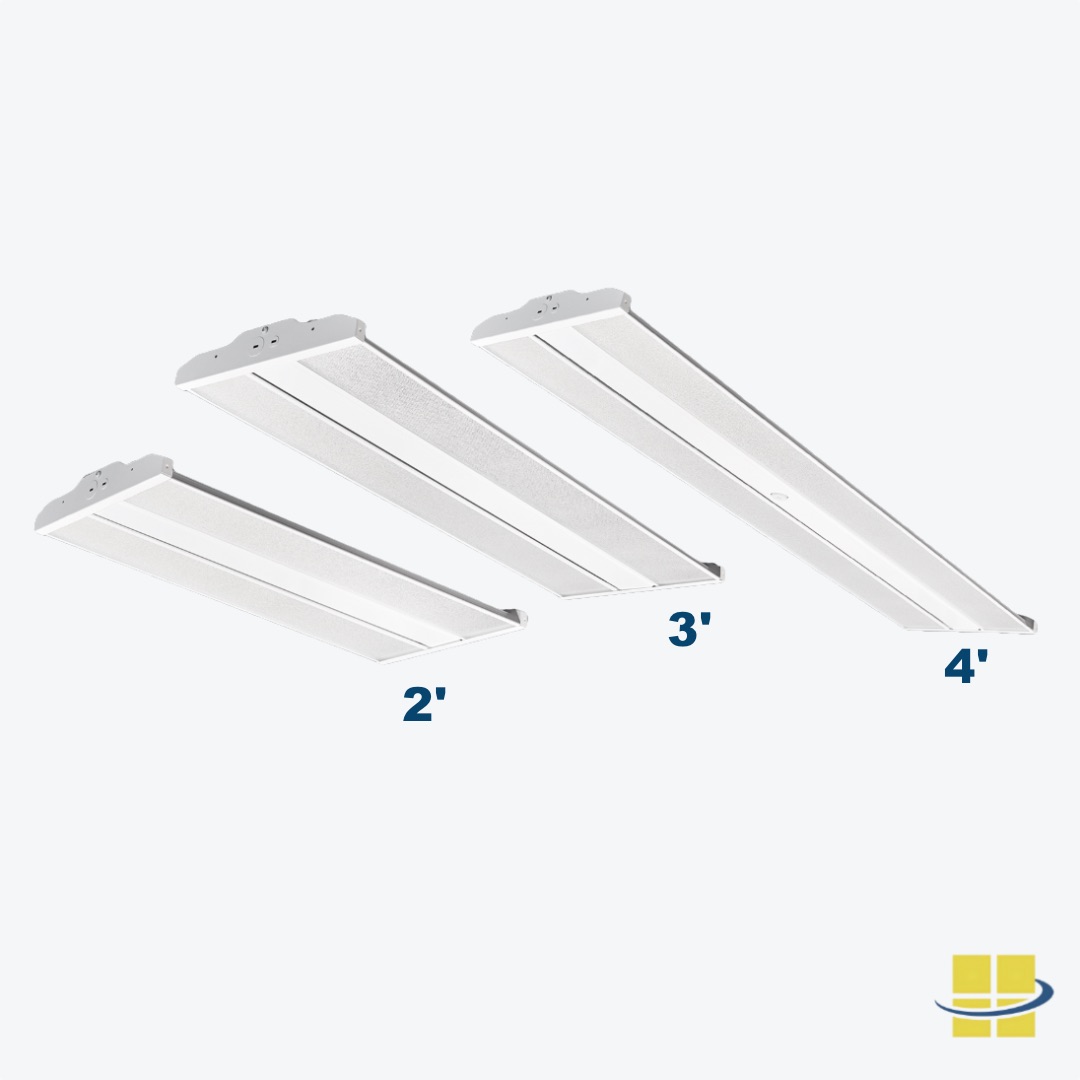
OTOK — Flicker-Free LED High Bay
Robust driver design for demanding commercial and industrial environments. L70 rated at 200,000+ hours. 0-10V dimming. Ideal for applications requiring consistent flicker-free output — sports facilities, warehouses, and manufacturing floors where lighting quality directly affects safety and productivity.
Shop OTOKInstallation Best Practices to Prevent Flickering
- Match driver and fixture voltage exactly. Confirm whether input is 120–277V or whether the application needs a constant-voltage 12V or 24V supply for low-voltage strip runs.
- Follow the 80% loading rule. Never run a driver at 100% of rated output. Size drivers with 20% headroom for thermal stability and long service life.
- Separate lighting from large motor loads. Avoid sharing circuits with HVAC compressors, refrigerators, and well pumps. Dedicated lighting circuits eliminate the most common voltage fluctuation source.
- Ensure adequate airflow around drivers. Avoid burying drivers in insulation or enclosed cavities. Heat is the primary cause of electrolytic capacitor degradation inside LED drivers.
- Verify polarity on DC connections. Reversed polarity on 12V and 24V systems damages LEDs and produces immediate flickering.
- Record installation dates and keep product documentation. Scheduled visual inspections catch emerging flicker issues before they affect safety or operations.
Conclusion
LED lamp flickering is almost always traceable to one of six causes — and the six-step checklist above resolves the majority of issues without replacing any fixtures. When the cause is product quality rather than installation, upgrading to Access Fixtures luminaires with published L70 ratings, constant-current drivers, and robust thermal management eliminates the problem at the source and prevents recurrence.
For commercial, industrial, and sports lighting applications where flicker-free output is a safety and operational requirement, call an Access Fixtures lighting specialist at 800-468-9925 before ordering replacement fixtures.
Speak with an Access Fixtures lighting specialist about flicker-free fixture replacements for your specific application — high bay, linear, wall pack, or area light. Call 800-468-9925 or request a quote.
Call 800-468-9925 Request a QuoteLED Lamp Flickering — Frequently Asked Questions
You have LED flickering questions. We have answers. To speak with an Access Fixtures lighting specialist call 800-468-9925.
Why do LED lights flicker?
LED lights flicker because they respond almost instantly to voltage changes — unlike incandescent bulbs which have thermal inertia that smooths over brief dips. The most common causes are incompatible dimmer switches, loose bulbs or connections, voltage fluctuations from high-draw appliances on the same circuit, failing or low-quality LED drivers, and overloaded LED strip light runs with voltage drop.
How do I tell if my LED is flickering invisibly?
Open your phone camera in slow-motion mode and aim it at the light. Banding or flashing on screen confirms flicker even when it is invisible to the naked eye. Invisible flicker — above 50 Hz — can still cause eye strain, headaches, and reduced productivity in work environments.
Can incompatible dimmer switches cause LED flickering?
Yes — it is the most common single cause of LED lamp flickering. Older phase-cut dimmers designed for incandescent or halogen loads chop the AC waveform in ways that leave the LED driver without enough stable input. Replace with an LED-compatible trailing edge or 0-10V dimmer. Always confirm the LED lamp is labeled dimmable before connecting it to any dimmer.
What is the 80% rule for LED drivers?
LED drivers should be loaded to no more than 80% of their rated output. Running 60W of LED strip lights on a 60W driver pushes the driver into thermal stress, causing flicker, overheating, or early failure. Use a 75W or 80W driver for a 60W load. This rule applies to all LED power supplies and drivers in strip and low-voltage applications.
Are flickering LED lights dangerous?
A single flickering LED bulb is usually not dangerous — it typically indicates a failing driver, an incompatible dimmer, or a lamp nearing end of life. However, widespread flicker across multiple fixtures accompanied by buzzing panels, warm outlets, or burning smells may indicate serious electrical faults. Turn off power and call a licensed electrician immediately if multiple warning signs appear together.
Do LED lights flicker before they burn out?
Yes. Many LED bulbs and fixtures exhibit intermittent flicker, color shift, or reduced brightness as they approach or exceed their L70 life. If a single lamp flickers regardless of which fixture it is placed in, it has likely reached end of useful life and should be replaced. High-quality luminaires from Access Fixtures with L70 ratings of 100,000 to 200,000+ hours maintain stable output for many years before any such signs appear.
What causes LED strip lights to flicker on one end?
Voltage drop along long runs causes brightness changes and flicker toward the far end from the power supply. Solutions include using a driver sized at 80% of rated load, feeding power from both ends of the strip, and reseating or replacing loose connectors or damaged PCB sections.
How do I prevent LED lamp flickering?
Choose luminaires from manufacturers who publish L70 ratings, driver specifications, and LM-80 test data. Replace incandescent-era dimmers with LED-compatible trailing edge or 0-10V dimmers. Size drivers at 80% load maximum. Ensure adequate airflow around drivers. Separate lighting circuits from large motor loads. Access Fixtures luminaires use high-quality constant-current drivers rated for long service life with robust thermal management.